Cisco IOL on Containerlab - Setup Dialog Fix
How to avoid that your startup config is ignored
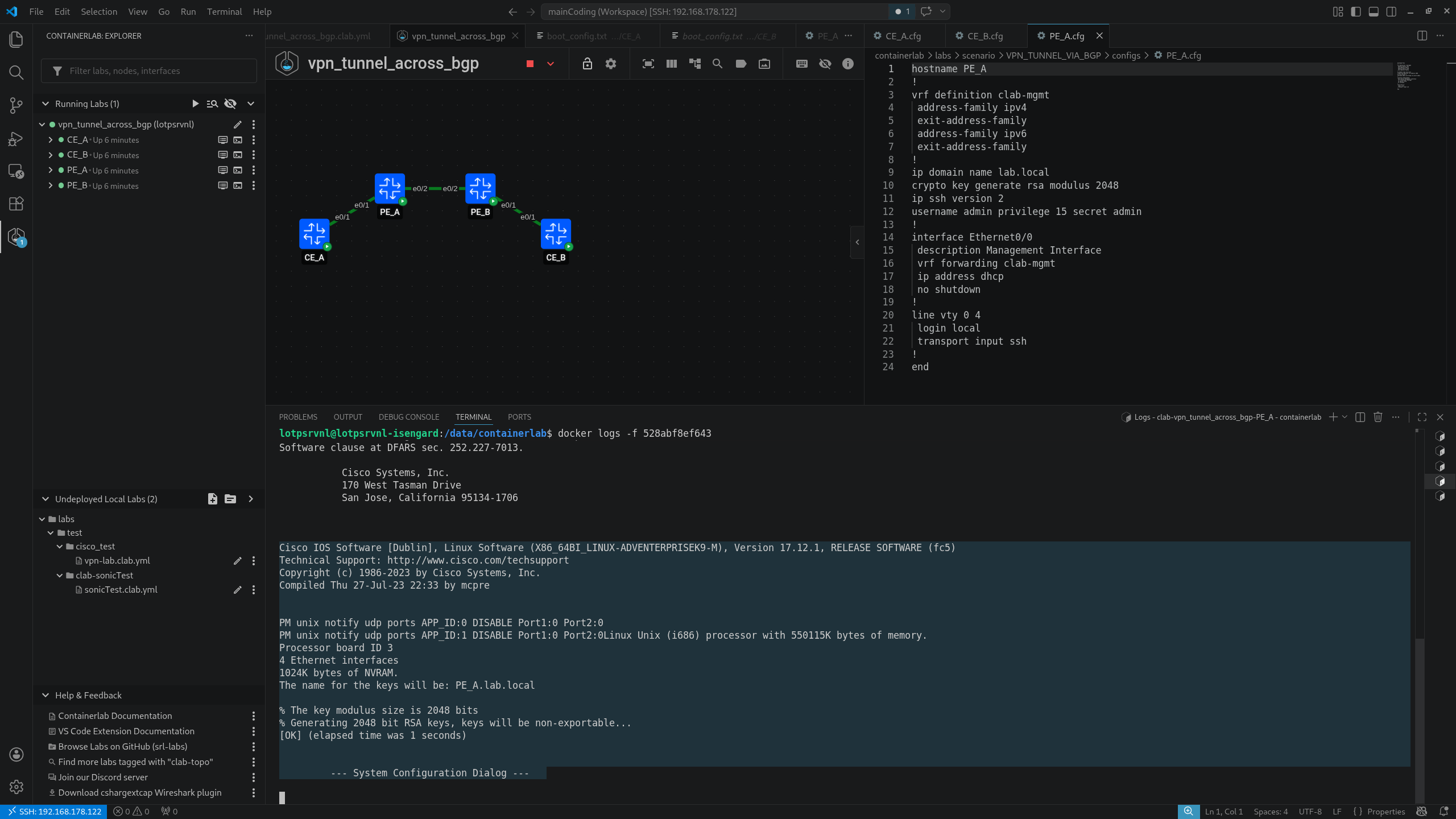
When deploying a CISCO IOL container in Containerlab it might happen that the deploy doesn’t fully validate the start-up config given from the .cfg file and ends up in the setup dialog configuration. For what i’ve tested this might be caused by IOL’s config parser that requires at least one non-hardware interface to be declared in the startup-config, or it falls through to setup dialog.
This result in ignoring the startup-config.cfg file and therefore not be able to access the CLI, since the configuration that apply the DHCP address to the management interface is not processed.
This is something peculiar that should be coming from the vrnetlab IOL packaging, not standard IOS behavior on real hardware.
To avoid the setup dialog you can simply put a dummy Loopback Interface inside the start-up config:
hostname [hostname]
!
vrf definition clab-mgmt
address-family ipv4
exit-address-family
address-family ipv6
exit-address-family
!
ip domain name lab.local
crypto key generate rsa modulus 2048
ip ssh version 2
username admin privilege 15 secret admin
!
interface Loopback0
! Workaround: Loopback0 required to prevent IOL from entering setup dialog interface Loopback0
	no ip address
!
interface Ethernet0/0
description Management Interface
vrf forwarding clab-mgmt
ip address dhcp
no shutdown
!
line vty 0 4
login local
transport input ssh
!
end
Here’s my use case. I was composing a Containerlab topology to test some VPN functionality. After the deploy, all the Cisco IOL routers had fallen to the setup dialog, the preconfigured commands were not applied and so i wasn’t able to SSH them.
I’ve started looking differences with another topology which also uses Cisco IOL and works perfectly fine. The only difference I noted was a Loopback, for a pre-configured simple OSPF, in the other working topology.
I didn’t thought to preventively create a Loopback in this VPN lab. But since this was the only one difference, i’ve tried to apply a Loopback with an IP to the CE_A and it worked, the startup-config was not skipped anymore and i was able to ssh the IOL image.
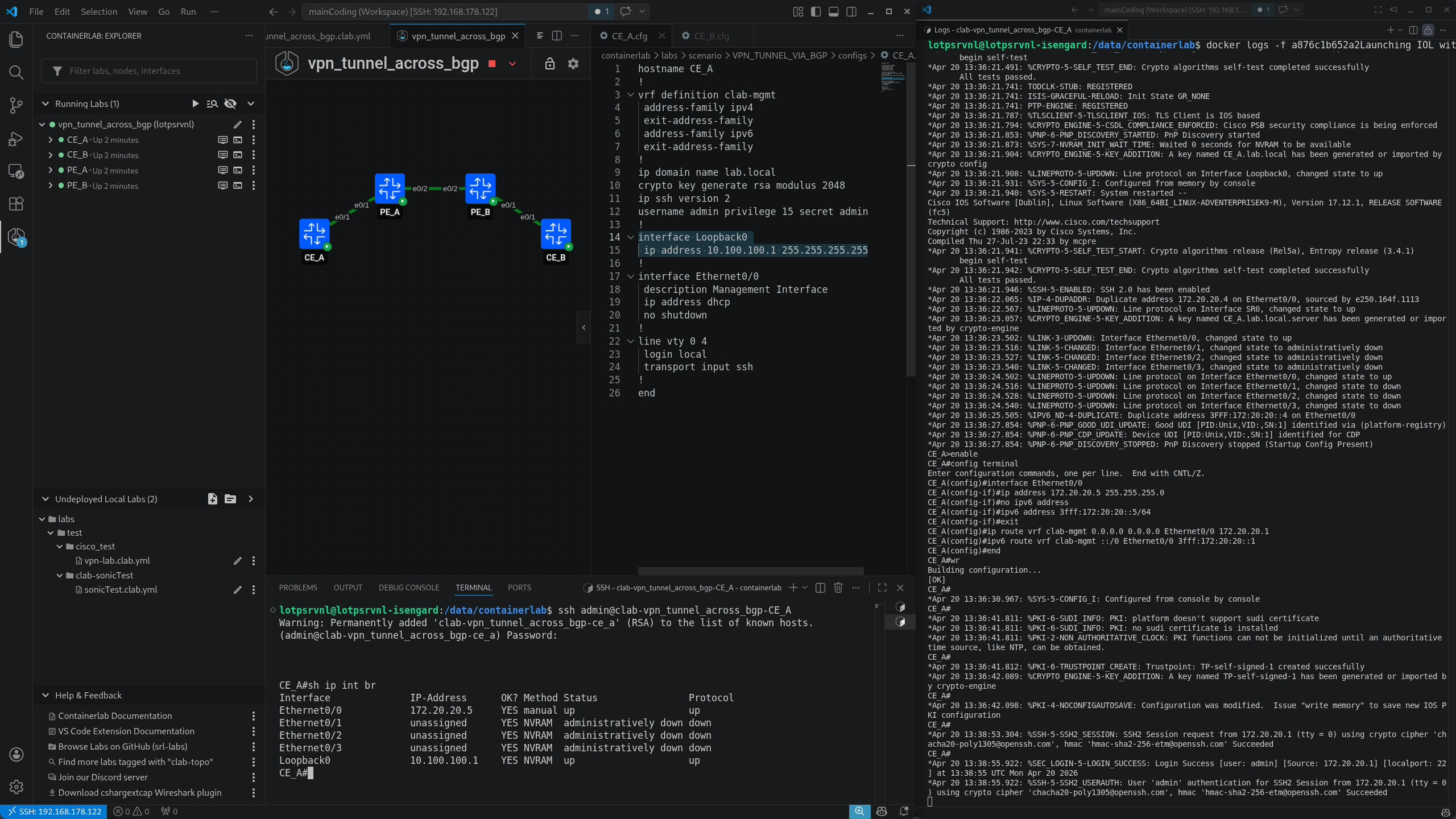
A pre-configured Loopback is an acceptable compromise to be able to run the IOL image, even though i would prefer configure it afterwards, to not have random IPs in the routing table. At least, it will be useful to design topologies with Loopback Interfaces ready to use.
Here you can also see PE_A, where i didn’t create a loopback yet, that falls into the setup dialog config.