Containerlab - S2S Tunnel with IPSec (IKEv2)
Testing about one of the most used security suite
Since i started to use Containerlab as a Network Simulation Environment, i wanted to test the feasibility of a site-to-site tunnel protected with IPSec. Though Containerlab is born to provide easier coding handleability, i used an old fashioned CLI approach to achieve tunnel establishment.
I will not discuss configuration of each device, i’ll show only some keypoint.
Design and Implementation
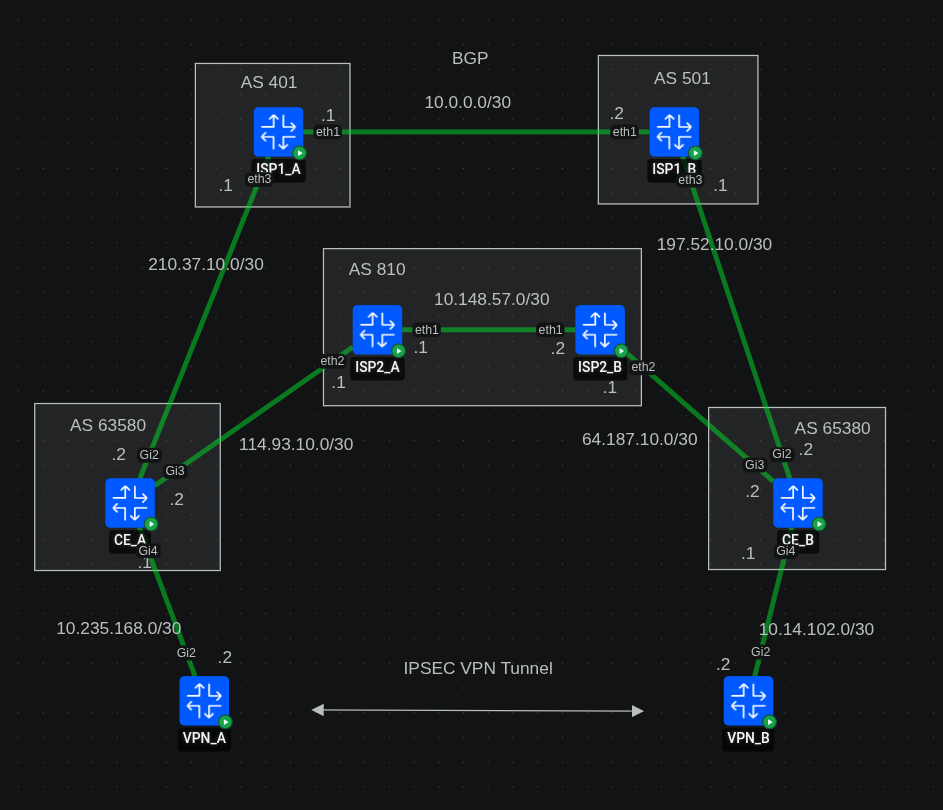
The topology provide two sites, A and B, with a single CE on each site. The CEs are multi-homed to two ISPs and behind them there are the VPN termination routers.
Docker images specific
For CEs and VPNs routers i’ve used the Cisco c8000v (controller version) with software version 17.16.01a. Note that to use crypto features you need
network-advantagelicense which is not active by default.You can activate in config mode with the command
license boot level network-advantage addon dna-advantage. Then you need to save memory and issue the reload command. The docker image stays up, it’s just the cisco software that is rebooted.For ISPs routers i’ve used Arista cEOS 4.34.1F-EFT2.
CEs are connected via eBGP to the ISPs. For diversity, primary ISPs is also eBGP in both sides. Secondary ISP is iBGP and provide a path through their internal AS.
CEs advertise each ISPs to a dedicated VRF. This has been chosen to provide segmentation among participants. BGP is quite plain, there are no specific tuning like path preference manipulation or authentication. Those will be object of future implementation.
An example of BGP from CE pespective:
router bgp 63580
 bgp router-id interface Loopback0
 bgp log-neighbor-changes
 !
 address-family ipv4
 exit-address-family
 !
 address-family ipv4 vrf TO-ISP-A
  bgp router-id interface Loopback630
  network 10.52.249.101 mask 255.255.255.255
  neighbor 40.1.0.1 remote-as 401
  neighbor 40.1.0.1 ebgp-multihop 2
  neighbor 40.1.0.1 update-source Loopback630
  neighbor 40.1.0.1 activate
 exit-address-family
 !
 address-family ipv4 vrf TO-ISP-B
  bgp router-id interface Loopback631
  network 20.52.249.57 mask 255.255.255.255
  neighbor 81.0.0.1 remote-as 810
  neighbor 81.0.0.1 ebgp-multihop 2
  neighbor 81.0.0.1 update-source Loopback631
  neighbor 81.0.0.1 activate
 exit-address-family
!
VPN termination routers and CEs are communicating via OSPF. VPN routers use a dedicated loopback for each VPN tunnel, but as you see i do not redistribute all the OSPF into the BGP. I opted to redistribute just the loopback IP and I’ve chosen to use route-map applied to the interface facing the VPN termination, to match the outbound traffic towards ISPs:
ip access-list extended FROM_VPN_A_TO_VRF_A
 permit ip any host 172.18.250.24
!
ip access-list extended FROM_VPN_A_TO_VRF_B
 permit ip any host 172.20.7.149
!
route-map FROM_VPN_A permit 10
 match ip address FROM_VPN_A_TO_VRF_A
 set vrf TO-ISP-A
!
route-map FROM_VPN_A permit 20
 match ip address FROM_VPN_A_TO_VRF_B
 set vrf TO-ISP-B
!

interface GigabitEthernet4
 description Interface to VPN_A - VPN terminator
 ip address 10.235.168.1 255.255.255.252
 ip ospf 10 area 0
 no shutdown
 ip policy route-map FROM_VPN_A
 negotiation auto
!
And static route from VRF to global for the return traffic from the ISPs towards the VPNs loopback.
ip route vrf TO-ISP-A 10.52.249.101 255.255.255.255 GigabitEthernet4 10.235.168.2 global
ip route vrf TO-ISP-A 40.1.0.1 255.255.255.255 210.37.10.1
ip route vrf TO-ISP-B 20.52.249.57 255.255.255.255 GigabitEthernet4 10.235.168.2 global
ip route vrf TO-ISP-B 81.0.0.1 255.255.255.255 114.93.10.1
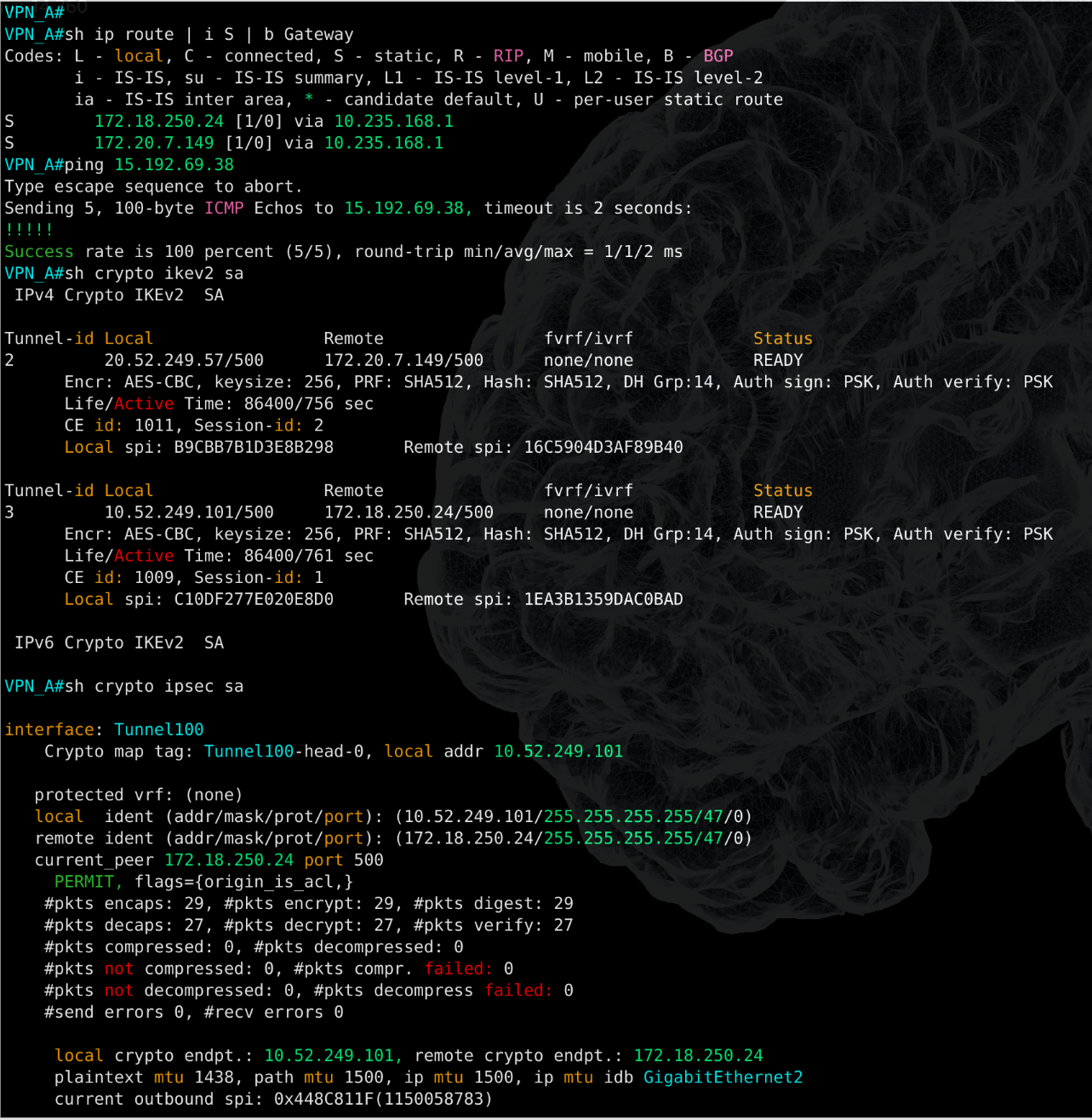
On the VPN termination router i used a static route to point the other end loopback via CE next-hop ip and i’ve implemented a sample IPSec snippet with IKEv2. After the tunnel came up, i verified that everything was in place and that encrypted traffic started to increase.
Observation on Containerlab usage
Containerlab offer a complete different virtualization architecture compared to traditional network environment such as EVE-NG or GNS3. What i learned throughout past months of Containerlab usage is that Docker require some level of system stability, especially when you need to wrap usual vm images into a container. This step involve an entrypoint that make a good usage of python to create the image and inject preconfig while deploying.
I deploy Containerlab on a Debian machine that i use as workstation, therefore stability of my system might be impacted based on the hardware capabilities. I didn’t tested on Windows though i expect that overall stability might be higher.
In my experience, has happened more than once that i needed to tweak my RAM and CPU frequency value, or downgrade the kernel to a previous version to find a stability between multi-threading management and avoid python segfault. In case you are wondering to use Containerlab in Linux environment i can recommend Debian 12 Bookworm, with kernel 6.01, which is still maintained and stable.
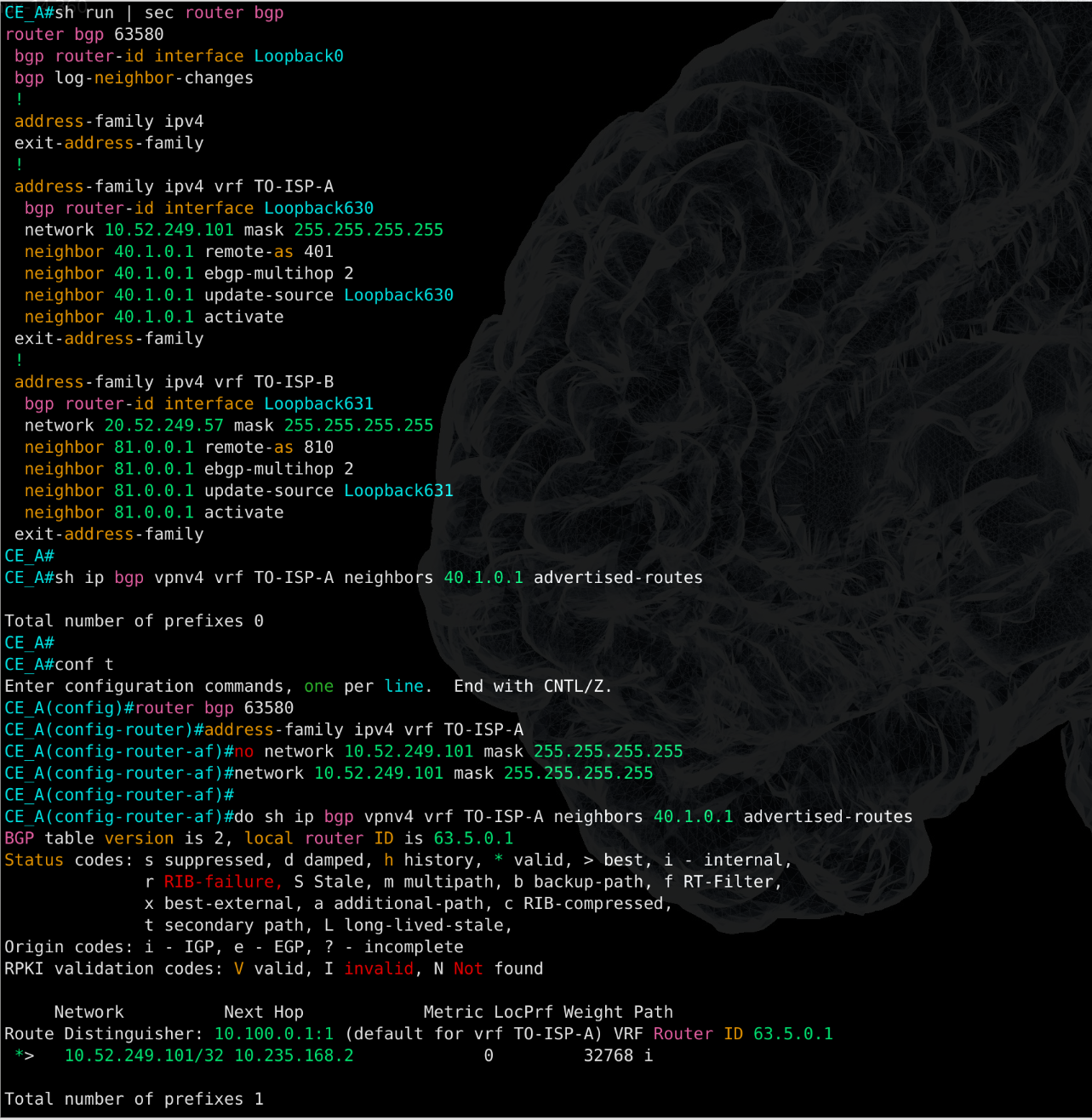
Related to this specific lab, i didn’t experienced any issue and it was such a relief. I destroyed and redeployed the topology multiple times and the configuration was intact, with some minor bugs like the need of reapply network statement in BGP or interfaces that are shutdown at each redeployement, most likely caused by runtime execution (boot time vs config read time).
But in overall the system was stable and performed as expected.
I’m generally satisfied of Containerlab as a Network simulation environment and can’t wait to test even more features and go ahead with automation projects.